
Download Simple MP3 Player – lightweight, fast, and free audio tool
Overview
Simple MP3 Player lives up to its name by delivering a clean, no‑frills audio experience that prioritises speed and low system impact. In a world where media players often become bloated with visual skins, cloud syncing, and endless playlists, Simple MP3 Player strips everything back to the essentials: quick playback of popular audio formats, drag‑and‑drop convenience, and a tiny footprint that barely registers in your task manager. The program supports MP3, WAV, AIFF, AAC, and several other common audio types, making it a versatile companion for anyone who wants a reliable way to listen to music, podcasts, or audiobooks without sacrificing precious RAM or CPU cycles.
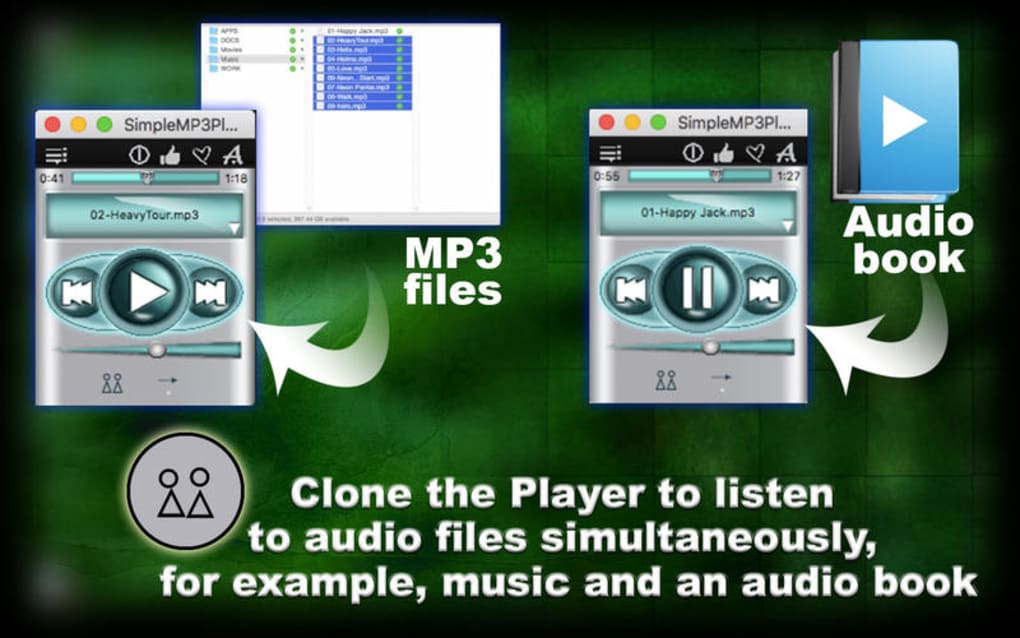
One of its standout capabilities is the ability to clone the application window, allowing multiple files to play simultaneously—a rare feature in free software that can be handy for DJs, language learners, or anyone needing overlapping tracks. While it lacks the deep library management tools of iTunes or Spotify, its focus on performance means you’ll notice faster start‑up times, snappier file loading, and virtually no lag when browsing large folders. If you’re looking for a secure, free, and ultra‑light MP3 player that runs on Windows and offers basic yet powerful playback, Simple MP3 Player is worth a download.
Key Features and Unique Capabilities
- Supports MP3, WAV, AIFF, AAC, and additional common audio formats.
- Drag‑and‑drop interface for instant playlist creation.
- Extremely low memory usage – under 10 MB after launch.
- Fast startup and file loading, outperforming larger players like iTunes.
- Cloneable player windows – play multiple tracks at once.
- Simple, intuitive UI with minimal on‑screen clutter.
- Free to download and use with no hidden ads or trial periods.
- Secure installation package signed by the developer.
The feature set of Simple MP3 Player is intentionally concise, but each item is designed to solve a real user problem. Support for a wide range of audio codecs means you won’t need to convert files before listening, saving both time and storage space. The drag‑and‑drop system replaces traditional “Add to Library” steps; just drop a folder onto the window and the player instantly builds a temporary playlist.
Because the application’s codebase is lightweight, it consumes a fraction of the CPU cycles that heavyweight competitors require, which translates into smoother multitasking on older laptops or low‑powered desktops. The cloning feature works by opening a new instance of the player that shares the same settings but runs independently, allowing you to cue a background track while a foreground track plays—ideal for practice sessions or background ambience. The UI follows a classic Windows aesthetic, avoiding flashy animations that could slow down the rendering pipeline.
Security‑conscious users will appreciate that the installer is digitally signed, ensuring the download is authentic and free from malware. Overall, these features combine to create a focused, reliable tool that gets the job done without unnecessary distractions.
Installation, Usage, and Compatibility
Step‑by‑Step Installation
Downloading and installing Simple MP3 Player is straightforward. First, navigate to the official download page and click the “Download for Windows” button. The installer is a small .exe file (approximately 4 MB).
Once the file is saved, double‑click to launch the setup wizard. Follow the on‑screen prompts: accept the End‑User License Agreement, choose an installation folder (the default works for most users), and optionally create a desktop shortcut. After the wizard finishes, click “Finish” to launch the player immediately or locate it in the Start menu.
Getting Started with Playback
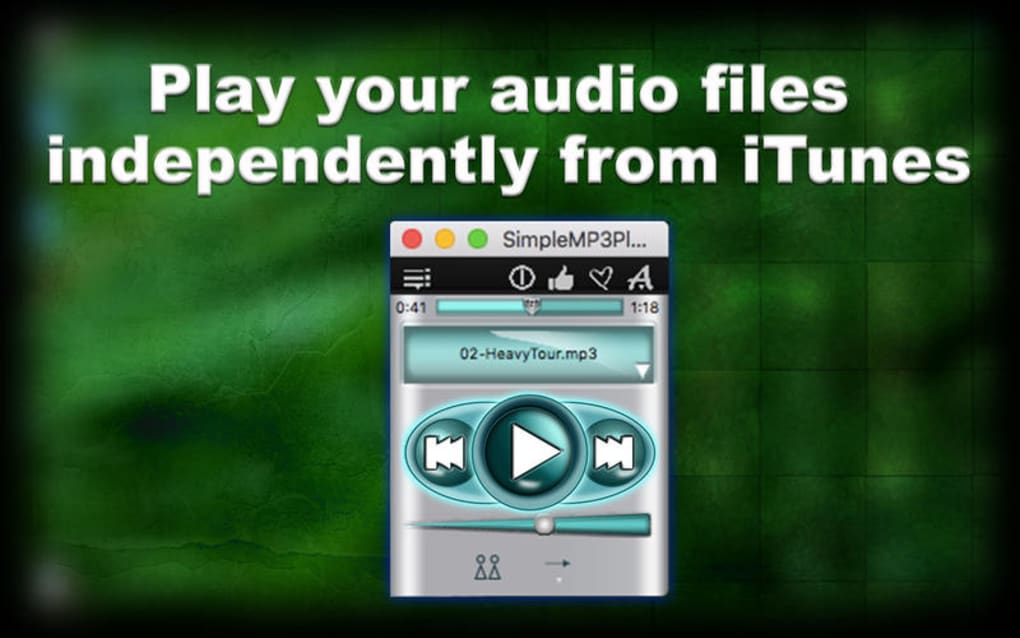
Upon opening the application, you’ll see a minimalist window with a playlist pane and basic playback controls (Play, Pause, Stop, Next, Previous, and Volume). To add music, simply drag a single file or an entire folder from Windows Explorer onto the playlist area. The player will automatically read the metadata and display track titles. Use the forward and back arrows to navigate, or right‑click a track for options such as “Play Next” or “Remove from List.” For users who need simultaneous playback, right‑click the main window and select “Clone Player.” A new identical window appears, allowing you to load a different audio file and control it independently.
System Requirements and Operating System Support
Simple MP3 Player is built for Windows 7, 8, 8.1, and 10 (both 32‑bit and 64‑bit). It runs comfortably on machines with as little as 512 MB of RAM and a modest dual‑core processor, making it ideal for legacy hardware. While the current version is Windows‑only, the developer has hinted at a future macOS build, but no official release exists yet. The application does not require .NET Framework or additional runtime libraries, further reducing the chance of compatibility issues. For users who prefer portable solutions, a “portable zip” version is also available, which can be run directly from a USB stick without installation, preserving the low‑resource advantage on any compatible Windows PC.
Pros, Cons, FAQ, and Final Verdict
Pros & Cons
- Pros:
- Ultra‑light footprint – minimal RAM and CPU usage.
- Fast launch and instant drag‑and‑drop playlist creation.
- Supports a wide range of audio formats out of the box.
- Unique cloning feature for simultaneous playback.
- Free, ad‑free, and securely signed installer.
- Portable version available for on‑the‑go use.
- Cons:
- Lacks advanced library management (no tagging, smart playlists).
- No built‑in visualizer or equalizer for audio tweaking.
- Windows‑only – no native macOS or Linux version yet.
- Minimal skinning options; UI is very basic.
Frequently Asked Questions
Is Simple MP3 Player completely free?
Yes, the player is 100 % free for personal and commercial use. There are no hidden fees, trial periods, or premium upgrades.
Can I play lossless formats like FLAC?
Simple MP3 Player does not natively support FLAC, but it handles the most common lossless format AIFF. For FLAC you would need an additional codec pack or convert the files.
How does the cloning feature work?
When you select “Clone Player,” the software opens a second instance that shares the same settings but runs independently. Each window can load its own track, allowing overlapping playback.
Is there a portable version I can run from a USB stick?
Yes, a zip‑based portable edition is offered on the download page. Simply extract the files to your USB drive and run the executable—no installation required.
Will the player receive regular updates?
The developer releases updates several times a year, focusing on bug fixes, codec improvements, and occasional UI refinements. Update notifications appear within the app.
Conclusion & Call to Action
For users who value speed, simplicity, and a tiny system footprint above feature‑rich library tools, Simple MP3 Player hits the sweet spot. Its ability to play multiple tracks simultaneously sets it apart from most free audio players, while the drag‑and‑drop workflow ensures you spend less time managing playlists and more time listening. Although it doesn’t offer deep tagging, equalizers, or cross‑platform support, its core strengths—lightweight design, fast performance, and secure, ad‑free experience—make it a solid choice for Windows users ranging from students to professionals. If you’re ready to replace a sluggish media library with a responsive, reliable player, click the download button below and enjoy instant, hassle‑free audio playback.







